

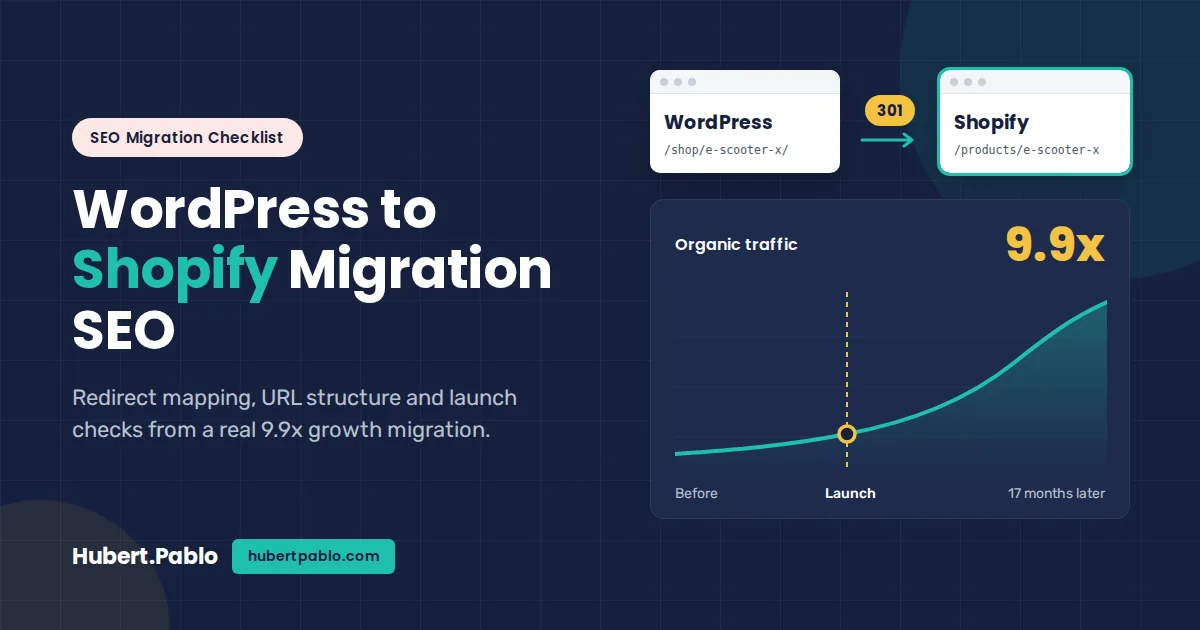
When I moved Mearth from WordPress to Shopify, organic traffic didn’t dip. It kept climbing, and across my 17-month engagement it grew 9.9x. Most WordPress to Shopify migration guides hand you a generic SEO list. This is the checklist I actually worked through, in the order I did it, including the Shopify URL problems nobody warned me about and what to watch for in the weeks after launch.
If you want the outcome side of the story, read the full results from the Mearth migration. This post is the process.
Quick Answer: How Do You Protect SEO Rankings When Migrating to Shopify?
To protect your rankings in a Shopify SEO migration, crawl and benchmark every WordPress URL, map each one to its new Shopify URL, set up 301 redirects before launch, carry over titles, meta descriptions and content, then check Search Console daily for the first 72 hours. Done in that order, most sites hold their traffic; the Mearth migration kept growing.
- Crawl the old site and export every URL with traffic or backlinks
- Benchmark rankings, clicks and top pages in Google Search Console
- Map every old URL to the closest new Shopify URL (one-to-one, never all to the homepage)
- Load 301 redirects in Shopify before switching DNS
- Keep titles, H1s, meta descriptions and body content the same at launch
- Submit the new sitemap and monitor 404s and indexing for 90 days
Why Most Website Migrations Lose Traffic (and Why This One Didn’t)
Migrations rarely lose traffic because of the new platform. They lose it because URLs change and nobody maps the old ones to the new ones. Google finds a pile of 404s, the links pointing at those pages stop passing value, and rankings slide.
The usual failure points are predictable:
- Missing redirects. Pages that earned links or rankings disappear without a 301.
- Lost content. Category descriptions, product copy and blog posts get trimmed or left behind during the move.
- Broken internal links. Menus and in-content links still point at WordPress paths, so every click hits a redirect or a dead end.
- Metadata reset. Titles and meta descriptions revert to Shopify defaults.
- No baseline. Without pre-launch numbers, nobody can tell a normal wobble from a real drop.
Mearth didn’t lose traffic because we treated the migration as an SEO project first and a platform project second. Every URL was accounted for before launch, content moved over intact, and Search Console was checked closely through the first weeks.
Before You Migrate: Crawl, Benchmark and Map Every URL
The work that decides whether you keep your traffic happens before a single product is imported. Here is the order I followed.
- Crawl the live WordPress site. Run Screaming Frog over the whole site and export every indexable URL with its title, meta description, H1 and canonical tag.
- Pull every URL Google knows about. Export pages from Google Search Console (Performance and Pages reports) and your analytics landing pages. These catch URLs the crawl misses, like orphaned posts and old campaign pages.
- Pull every URL with backlinks. Export linked pages from Semrush or a similar tool. A page with links but no traffic still needs a redirect.
- Merge and dedupe into one master sheet. This becomes your redirect map. One row per old URL.
- Benchmark. Save 3 months of clicks, impressions and positions per page from Search Console, plus your top 50 keyword rankings. You’ll compare against this after launch.
- Save the XML sitemap and a copy of the content. Keep the WordPress sitemap and a full content export (WooCommerce product CSV, WordPress XML export) so nothing is lost if the import goes wrong.
- Tag each URL with a decision. Keep and redirect, merge into another page, or drop. Only drop pages with no traffic, no links and no business value.
Shopify URL Structure: What Changes and What You Can’t Control
Shopify decides your URL structure, not you. On WordPress, you can shape permalinks however you like. On Shopify, every resource type sits behind a fixed prefix, and no setting removes it.
- Products always live at /products/handle.
- Collections (your old categories) always live at /collections/handle.
- Blog posts live at /blogs/blog-name/handle. The default blog is called news, but you can create a blog with a better name, like /blogs/guides/.
- Pages live at /pages/handle.
The part you do control is the handle, the last segment of the URL. Keep it identical to your WordPress slug wherever you can. That way the redirect map is simple, and the URL still reads the same to users.
The duplicate collection-product URL problem
The one that caught me out was shopify duplicate collection product urls. Shopify serves the same product at /products/e-scooter-x and at /collections/adult-scooters/products/e-scooter-x. Many themes link to the collection-based version from collection grids, so your internal links spread across dozens of duplicate paths.
Shopify adds a canonical tag pointing to /products/handle, so Google usually picks the right version. But canonical tags are a hint, not a rule, and you’re still sending your internal link value to URLs you don’t want indexed. The fix is in the theme: find where product links are built in the collection templates (look for within: collection in the Liquid code) and remove that filter so grids link straight to /products/handle.
WordPress URL types and what happens to each
Use this as your reference while building the map.
| WordPress URL type | Typical WP URL | Shopify equivalent | Action needed |
|---|---|---|---|
| Product | /shop/e-scooter-x/ | /products/e-scooter-x | 301 redirect, keep the handle identical |
| Category | /product-category/adult-scooters/ | /collections/adult-scooters | 301 redirect, move category copy over |
| Blog post | /2021/05/scooter-laws/ | /blogs/news/scooter-laws | 301 redirect, update internal links |
| Static page | /about/ | /pages/about | 301 redirect |
| Tag/archive | /tag/battery/ | None | 301 to the closest collection, or let it 404 if it had no traffic |
Building Your Shopify 301 Redirect Map
Your master sheet becomes the redirect map: one old URL, one new URL, one row. Getting shopify url redirects after migration right is mostly about discipline in this sheet.
- Map one-to-one wherever possible. Every product goes to its matching product, every category to its matching collection. Only fall back to a parent collection when there’s no real equivalent.
- Never redirect everything to the homepage. Google tends to treat mass homepage redirects as soft 404s, so the old page’s value is lost anyway.
- Use relative paths. Shopify’s redirect importer takes a “Redirect from” path and a “Redirect to” path, e.g. /shop/e-scooter-x/ → /products/e-scooter-x.
- Cover URL variants. Include trailing-slash versions, old paginated archives and any parameters that earned links.
- Avoid chains. If an old URL already redirected somewhere on WordPress, point the original straight at the final Shopify URL.
- Import by CSV, in batches. Shopify supports bulk CSV import of redirects. Smaller batches make errors easier to find.
- Fix internal links at the source. Update menus, product descriptions and blog content to point at the new URLs. Redirects are a safety net for outside links, not a replacement for correct internal links.
Three Shopify rules shape the map:
- Redirects only fire on broken URLs. Shopify only redirects a path that would otherwise 404, per Shopify’s help center. If a live page exists at that path, the redirect is ignored.
- No wildcards natively. Every URL needs its own row, so you can’t redirect /2021/* in one rule. Apps can add this if you need it.
- There’s a cap. Stores can hold up to 100,000 redirects, according to Shopify. That’s plenty for most WooCommerce catalogs.
Launch Week: What to Check in the First 72 Hours
The first three days are where you catch the mistakes that cost traffic for months. This is the post-migration seo checklist I ran.
Within the first hour
- Crawl the full list of old WordPress URLs in Screaming Frog (list mode). Every one should return a single 301 to a 200 page.
- Check that the store password page is off and the site is indexable.
- Spot-check the top 20 pages by traffic by hand, on desktop and mobile.
Day 1
- Submit the Shopify XML sitemap (/sitemap.xml) in Google Search Console.
- Keep the domain property in Search Console so old and new URLs stay in one report.
- Crawl the new site. Look for 404s, redirect chains, missing titles and duplicate meta descriptions.
- Confirm canonical tags point to /products/handle, not collection-based paths.
Days 2 and 3
- Check Search Console’s Pages report for new “Not found (404)” entries and redirect any that were missed.
- Use URL Inspection on key pages to confirm Google can fetch and render them.
- Compare titles, meta descriptions and H1s against your pre-launch crawl.
- Check that analytics and conversion tracking are firing.
The First 90 Days After Launch: What Traffic Actually Did
Organic traffic at Mearth didn’t dip after launch; it kept climbing through the rest of the engagement. The full numbers are in the case study linked above; here is what matters most in your own first 90 days.
- Weeks 1–2: Expect some ranking movement while Google recrawls and swaps old URLs for new ones in its index. Watch the 404 count in Search Console, not daily traffic.
- Weeks 3–6: Most redirected URLs should drop out of the index and the new ones should hold their old positions. Pages that don’t recover usually point to a missing redirect or thinner content.
- Weeks 7–12: This is when you can fairly compare against your baseline. Growth here comes from the work you do after launch, not the migration itself.
Will I Lose Rankings Moving to Shopify?
Not if the migration is planned properly. “Will I lose SEO moving to Shopify” is the question I hear most, and the honest answer is that the platform itself isn’t the risk. Missing redirects, lost content and broken internal links are.
A short fluctuation in the first couple of weeks is normal while Google recrawls. A lasting drop almost always traces back to something fixable: a batch of URLs with no redirect, category copy that didn’t come across, or titles reset to defaults.
On Shopify blog SEO vs WordPress: WordPress gives you more control, through plugins and flexible permalinks. Shopify’s blog is simpler, with the fixed /blogs/ prefix and fewer built-in SEO settings. It still handles titles, meta descriptions, canonicals and the sitemap. For most stores, the benefit of keeping content and products on one domain outweighs the lost flexibility.
How Long Does a WordPress to Shopify SEO Migration Take?
The SEO work typically spans 3 to 4 months end to end: several weeks of preparation, a launch week, and about 90 days of monitoring. The build itself can run in parallel with the preparation.
| Phase | What happens | Typical time |
|---|---|---|
| Audit and benchmark | Crawl, export Search Console data, save baselines | 1–2 weeks |
| URL mapping | Build and QA the redirect map | 1–3 weeks, depending on catalog size |
| Content migration and QA | Move products, collections, posts and metadata; check them on staging | 2–4 weeks |
| Launch | Import redirects, go live, run the 72-hour checks | 1 week |
| Monitoring | Track 404s, rankings and traffic against the baseline | 90 days |
Shopify Redirect Map Template (Copy This)
This is the exact column layout I use for every Shopify migration redirect map. Build it in Google Sheets, then export the first two columns as a CSV for Shopify’s redirect import (Online Store → Navigation → URL Redirects → Import).
| Old WordPress URL | New Shopify URL | Page type | Monthly clicks (GSC) | Backlinks | Status |
|---|---|---|---|---|---|
| /shop/organic-face-oil/ | /products/organic-face-oil | Product | 120 | 4 | Redirect + test |
| /product-category/skincare/ | /collections/skincare | Category | 85 | 2 | Redirect + test |
| /blog/how-to-use-face-oil/ | /blogs/news/how-to-use-face-oil | Blog post | 40 | 1 | Redirect + test |
| /about/ | /pages/about | Page | 10 | 0 | Redirect + test |
| /tag/vegan/ | /collections/vegan | Tag archive | 0 | 0 | Redirect or drop |
Sort by monthly clicks and backlinks so the URLs that matter most get checked by hand first. Any row with backlinks must redirect to a relevant page, never to the homepage.
Shopify SEO Migration for Australian Businesses
If you run an Australian store, check three extras before you switch: set your Shopify store currency to AUD and your primary market to Australia, make sure prices show GST-inclusive as Australian shoppers expect, and update your Google Business Profile and Merchant Center links to the new URLs. These keep your local and Shopping visibility steady through the move.
Planning a move and want a second pair of eyes? I run Shopify SEO migrations for Australian businesses end to end, from the redirect map to the 90-day check. Book a free 30-minute migration call.
WordPress to Shopify Migration FAQ
Will I lose my Google rankings if I move to Shopify?
You shouldn’t lose rankings long-term if every old URL is 301-redirected to its closest match and your content moves over intact. Expect small fluctuations for a week or two while Google recrawls.
Can I keep my exact URLs on Shopify?
No. Shopify adds fixed prefixes like /products/, /collections/, /pages/ and /blogs/, and they can’t be removed. You can keep the final part of each URL (the handle) identical to your WordPress slug.
How many redirects can Shopify handle?
Shopify stores can hold up to 100,000 URL redirects, according to Shopify’s help center. Redirects can be added one by one or imported in bulk by CSV.
Should I migrate my blog too, or keep it on WordPress?
For most stores, migrate it. Keeping the blog on the same domain as your products keeps internal links and authority in one place. Keeping WordPress on a subdomain means running two platforms, and your content and products no longer share a single site. If your blog relies heavily on WordPress-only features, weigh that before deciding.
How soon after migrating should traffic recover?
With a clean migration, there’s often little to recover from. Most sites settle within 2 to 6 weeks. If traffic is still well below baseline after 6 weeks, check for missing redirects and lost content first.
Planning Your Own Shopify Migration?
The order matters more than the platform: crawl, benchmark, map every URL, then launch and watch the first 72 hours closely. If you’d like a second pair of eyes on your redirect map, get help planning your migration.
Found this useful?
Add me as a preferred source on Google to see more of my SEO and AI search insights in your results.